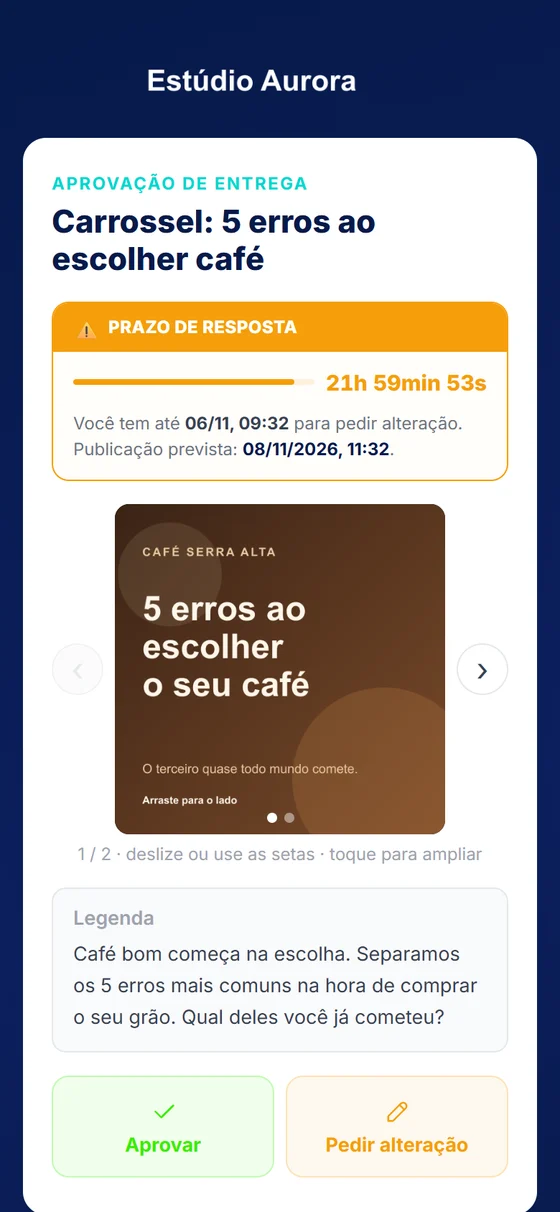
From first contact to results
Every step is recorded in the same place, with a history of who did what and when.
One system, two ways to use it
Today it is spread across dozens of apps, spreadsheets and WhatsApp groups. GDfy brings it all together so you can run your business more easily, make better use of your working time and sell more.
Sound like your routine?
For agencies
From prospecting to the monthly report, with no side spreadsheets and no approvals lost in group chats.
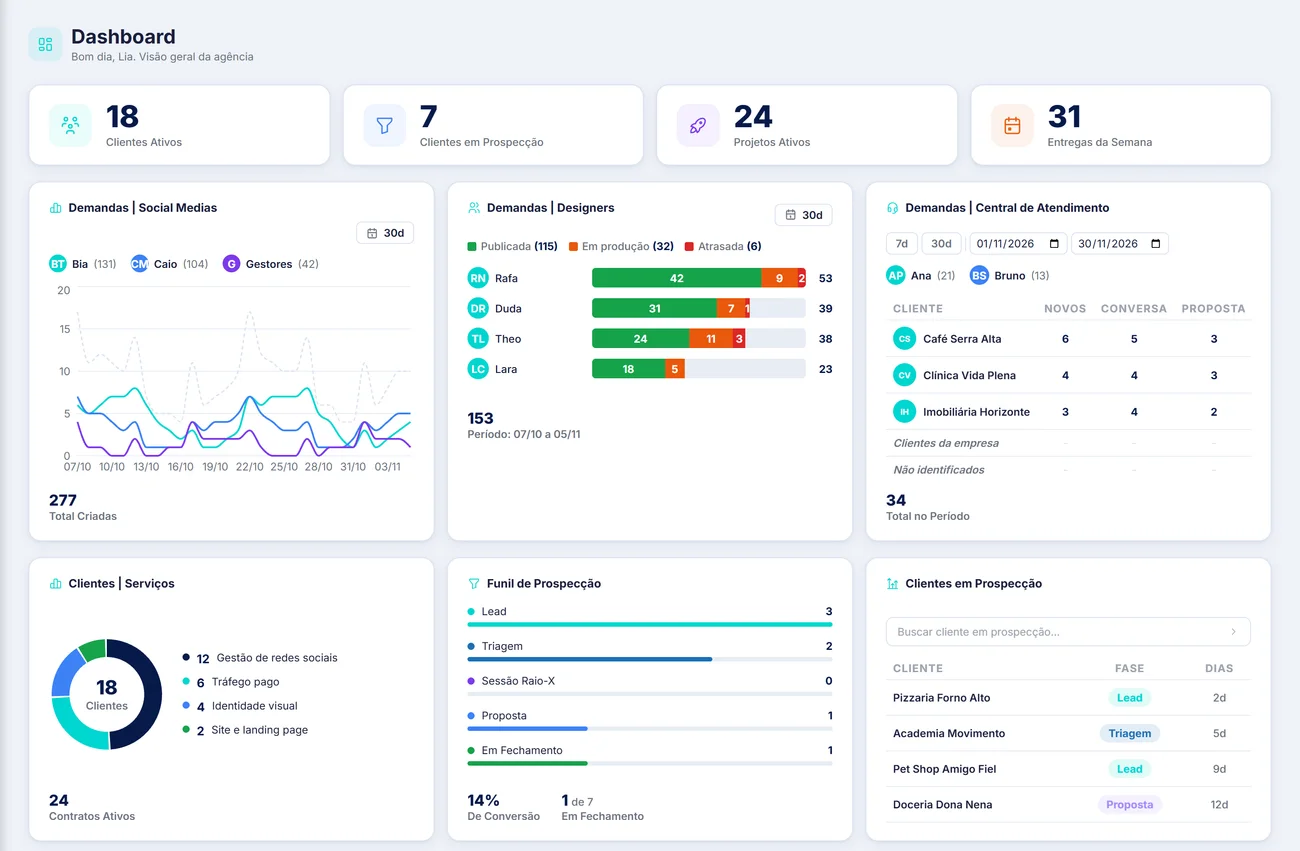
Dashboard: clients, team, funnel and prospecting on a single screen
For schools
From the sale to the certificate, with enrollment, lessons, billing and students following everything on the portal.
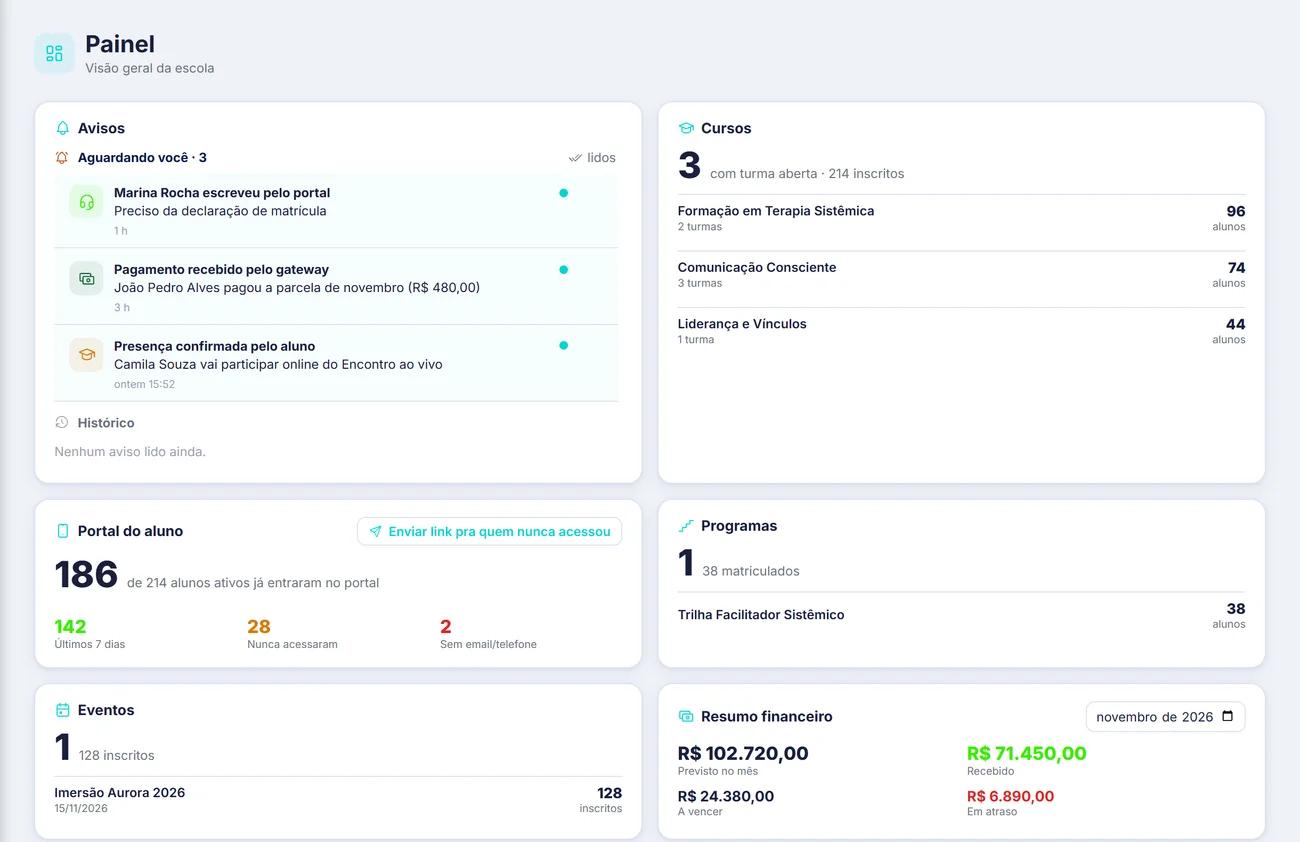
Dashboard: notices, courses, student portal, events and finances on a single screen
Real system screens, with fictitious data.
How it works
GDfy is subscription software: your team uses it in the browser and on the phone, with your brand. It doesn't do the work for you. It organizes and automates the routine, so you have time for what really matters. You choose what to turn on, and nothing needs to be re-entered as your operation grows.
Every step is recorded in the same place, with a history of who did what and when.
Managers, sales, finance, school office, production, support agents, teachers, students and clients log in with different permissions and workspaces.
Each company turns on only what it uses. On the pages your clients or students access, your company's brand is the one that shows.
Add-on for both
For anyone who loses sales because the conversation disappears into someone's phone. One-on-one service on the company's official number, and WhatsApp groups per campaign.
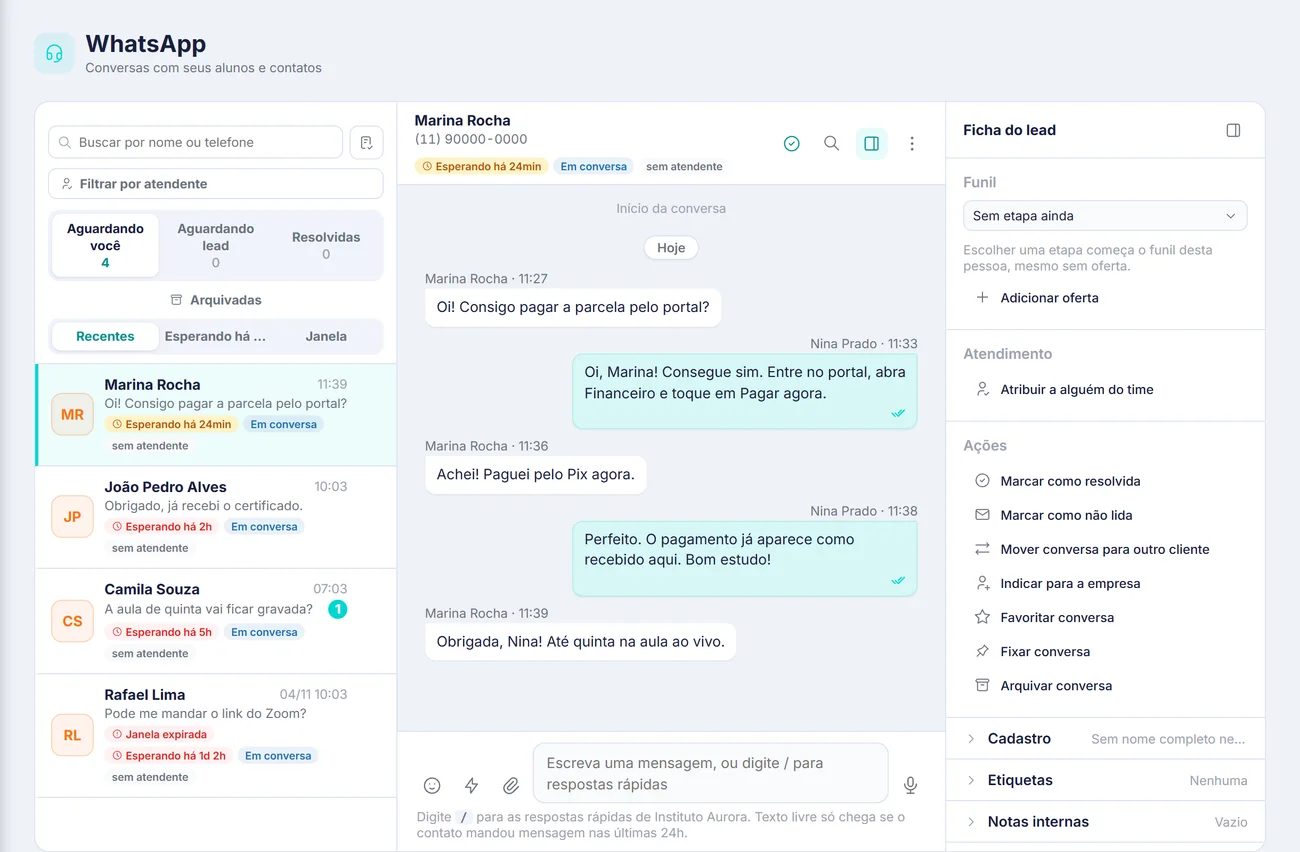
WhatsApp (add-on): conversations with students and contacts, in a queue and with history
On your phone
GDfy has mobile apps that skip the app store: people open the link, choose to install and the icon lands on the home screen like any other app. No heavy download, no store approval and always on the latest version.
Each role has its own, with a notification on the phone when something needs attention.
For your team to handle conversations on their phones, with new-message notifications even when the app is closed. Every conversation is recorded, with history for managers.
The student portal as an app: lessons, materials, tickets, finances, records, certificates, class announcements and direct contact with the support team of the school or course creator.
The full platform, also installable, to follow jobs, approvals and tasks away from the office.
Integrations
Connecting is always optional and done by the user, inside the platform, with each service's official login. Nothing is connected without authorization and everything can be disconnected at any time.


Publish to the feed, as carousels and as videos on connected accounts, and read the metrics of posts published through GDfy.

Publish text, images and videos to the company page.

Send videos approved in the content calendar to the connected account.

Upload videos to the connected channel, set the title and description and track the channel's own statistics.

Customer service through Meta's official API, with approved message templates and conversation history on the platform.


Connect the client's Google account, put meetings on the calendar and access statistics for the channels the user authorized.


Create the room for the meeting or class, with the link sent to participants and the session added to the calendar.




Billing by Pix, boleto and card through Pagar.me or Asaas, and reading of sales made on checkout platforms.
Frequently asked questions
The plan follows the size of your operation: what you turn on, how many active clients or students you have and how many people use it. Request a demo on this page and we'll show you the system with your use case and send you a final proposal.
No. Each part is turned on per account. You can start with what solves today's problem and turn on the rest later, without starting over or re-entering anything.
Yes. The pages they access, such as content approval, proposal, contract, certificate and student portal, carry your company's logo, color and name.
Not through this page. Your access is the student portal, through the link at the top or the address your school sent you.
Demo
In half an hour you'll see GDfy running with your operation on screen. Tell us how you work today and we'll put together the demo and a plan sized right for you.
Prefer to talk now? Message us on WhatsApp